

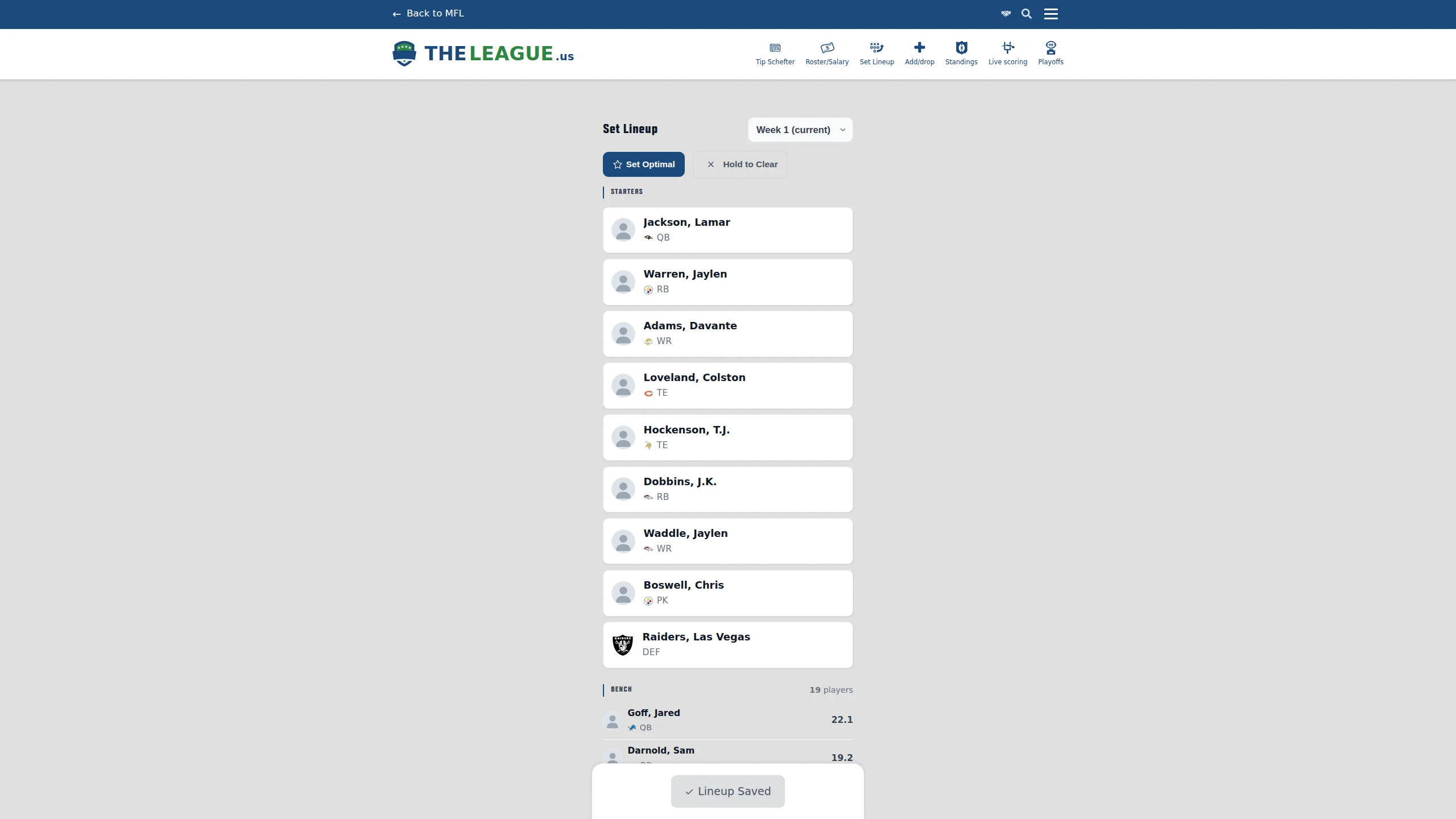
Set Lineup
Set your starting lineup without leaving the site — tap to swap, shake to undo, and let the optimizer do the thinking.
The Full Story
Setting lineups on MFL used to mean navigating to the MFL site, logging in again because your session expired (it always expires), clicking through three menus to find the lineup page, and then squinting at a list of player IDs with all the visual polish of a 2003 HTML form. If you wanted to check matchups, injury news, or your opponent's defense ranking, that was a separate browser tab. Or three. Coach Mode on the roster page helped with the research, but actually submitting the lineup still required the MFL pilgrimage.
The Set Lineup page brings lineup management home. Nine starter slots — QB, RB, WR, TE, three FLEX, PK, DEF — each showing projection, opponent, and FPA rank at a glance. Tap any slot to open the player drawer with your full bench, sorted by projection and decorated with coach data: spread, over/under, weather, recent scoring trends, and hot streak flames for anyone on a three-week heater. Swap a player in, see the slot flash green, and your change count updates live. The Set Optimal button auto-fills the best lineup from projections (or your custom rankings if you've set them). Made a mistake? Shake your phone to undo, or tap the undo toast on desktop. When you're ready, hit Submit and it posts directly to MFL — no tab-switching, no re-authentication, no decoding player IDs.
It's mobile-first because nobody's setting lineups from a desktop at 12:58 PM on Sunday. But if you are, it works there too.
Message